
Corporate Network is your organization's shared relationship graph. It stores business relationships from your leadership, board, investors, champions, and customers to help Vieu uncover more warm introduction paths across your team.
From here, you can- Add people to your Corporate Network
- Import company relationship data
- Expand your organization's shared relationship graph
- Improve warm introduction coverage across Vieu
Access Corporate Network
Corporate Network is typically configured during onboarding by your Customer Success Manager. As your business grows, administrators can return here to add new people or import additional relationship data to keep your network up to date.
1. Click your profile icon in the top-right corner of Vieu
2. Select GTM Neural Center
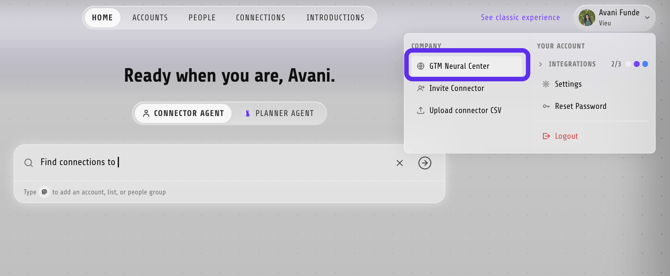
3. From the left sidebar, click Corporate Network.
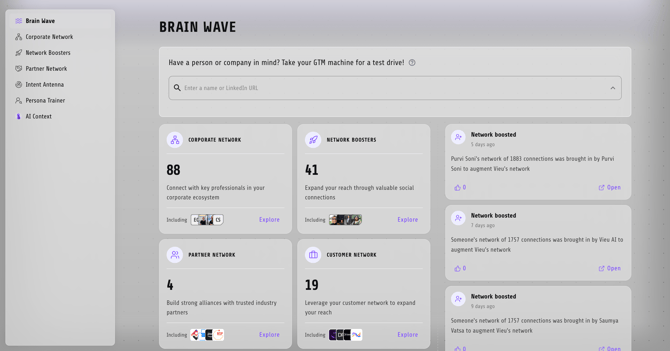
Understand your Corporate Network
Corporate Network is organized into categories based on where your relationships come from.
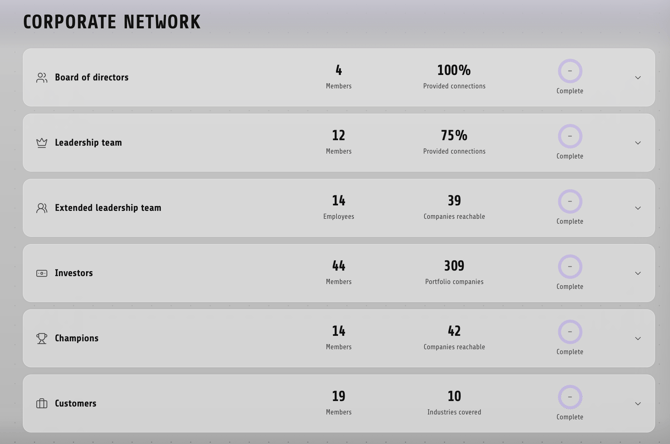
Each category shows:
- The people included in that network
- The companies they can help you reach
- A completion indicator showing how much relationship coverage you have
The available categories include:
| Category | Contains |
|---|---|
| Board of Directors | Board members and their relationships |
| Leadership Team | Executives and the companies they can help you reach |
| Extended Leadership | Additional leaders and their networks |
| Investors | Investors and their portfolio relationships |
| Champions | Internal champions and their business relationships |
| Customers | Customer relationships and industry coverage |
Add people to a Corporate Network
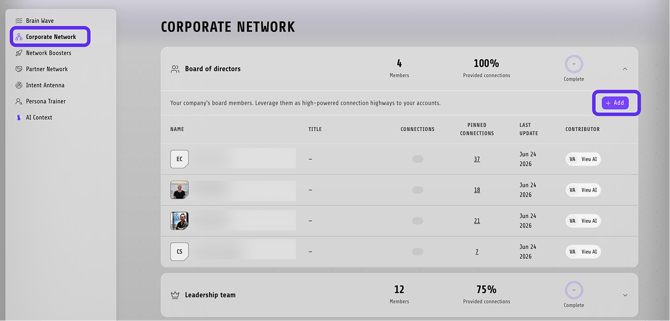
1. From left panel of GTM Neural Center, select Corporate Network.
2. Open the category you want to update.
3. Click + Add.
4. Search using a person's name, email address, job title, or LinkedIn URL.
5. Use Verified to show verified profiles only, or View All to browse every match.
6. Select the person to add them to the network.
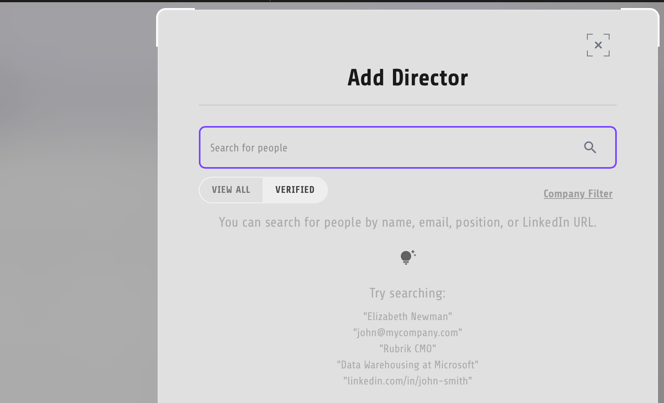
Once added, their available relationships become part of your organization's shared graph.
Best practice
Keep your Corporate Network up to date as your business grows. Regularly adding new leaders, investors, champions, and customers helps Vieu uncover more warm introduction paths, reduce cold outreach, and improve recommendations across Accounts, People, Connections, and Intro Agent.
Need help?
If you run into issues during setup or want help with field mapping, reach out to us at valet@vieu.com.