
Search for warm introduction paths into a target account using Vieu. This helps you compare stakeholders, connector strength, and reachability before deciding whom to approach.
Use this workflow when you want to answer questions such as:
- Who can introduce me to people at this account?
- Which stakeholders are most reachable?
- Who has the strongest warm paths?
- Are there insider or verified connections available?
- Which stakeholder and path should I prioritize for an introduction?
Instead of researching stakeholders and connections across different sources, Connections Vieu brings together the relevant people at your target account, the connectors who can help you reach them, and any direct, indirect, or insider paths available.
This article walks you through the complete process of finding and acting on connection paths into an account. You can follow each step or jump directly to the section you need:
- Find Connections to an Account
- Understand Your Results in Connections Vieu
- Explore and Act on Connection Paths
- Narrow Down the Available Paths with Filters
- Customize the Table with Edit Columns
- Ask Connector Agent for Help
1. How to find connections to an account
Follow the steps below to explore connection paths into a specific account.
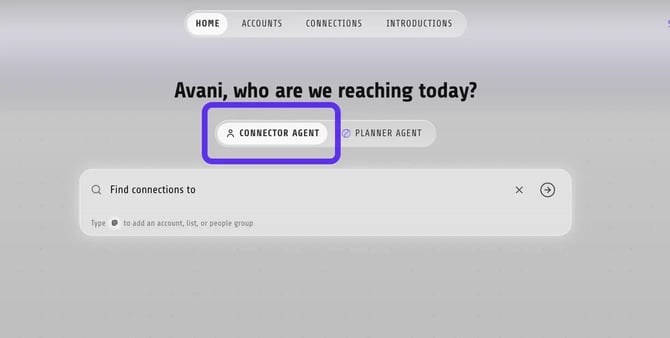
Step 1: From the Home page, make sure you are using Connector Agent (default).
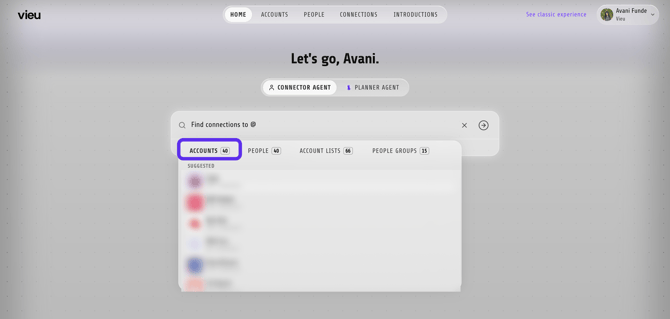
Step 2: In the search bar, make sure Accounts is selected.
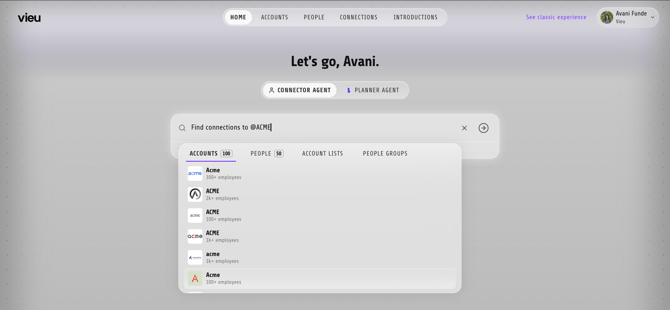
Step 3: Enter the account name. For example, ACME or Neosales Select the account from the search results.
Step 4: Vieu opens Connections Vieu and displays all relevant people at the selected account with available connection paths. Each person appears as a separate row, allowing you to compare stakeholders, connectors, and path strength before deciding whom to approach.

2. Review the available connections – Connections Vieu
The Connections Vieu table displays all relevant people at the selected account with available connection paths. Use this view to compare stakeholders and identify who is most relevant and reachable.
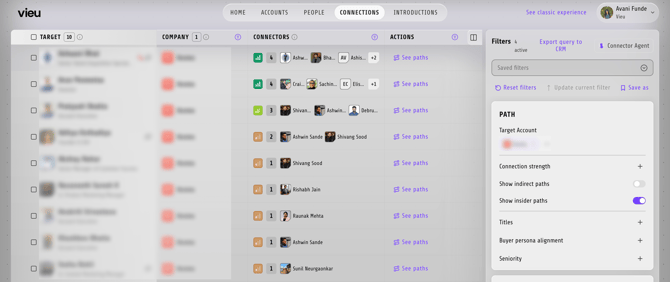
Quickly understand your Connections Vieu
| Column | What it shows |
|---|---|
| Target | Each relevant person at the selected account with an available connection path |
| Company | The account you searched for |
| Connectors | People who can help you reach each target |
| Actions | Options for viewing the complete paths to each target |
3. Take action – See Paths
Click See paths under Actions beside a target to open the detailed path view.

Each path shows how the connection moves from your network to that person, including the introducer and any intermediaries involved.
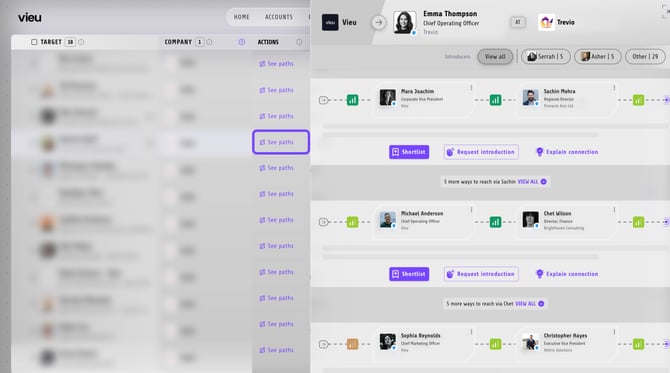
From each path, you can:
- Shortlist it for later
- Request introduction when you are ready to act
- Explain connection to understand the relationships behind the path
Repeat this for different stakeholders to compare the available routes into the account.
4. Narrow down the available paths – Filters
Because an account search may return several people, use the filters in the right panel to narrow the results to the stakeholders and connection paths most relevant to you.
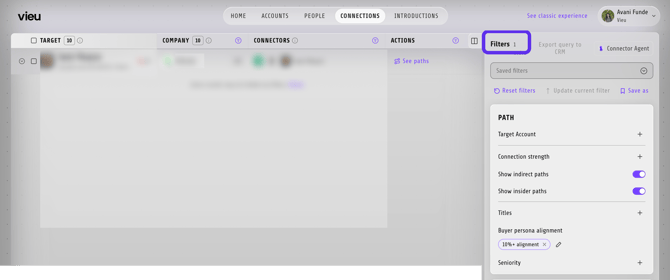
As you apply filters, the list updates in real time and the number of available people and paths reduces accordingly.
Here’s how you can use the filters:
- Prioritize paths by Connection strength
- Find stakeholders by Title
- Narrow results by Buyer persona alignment or Seniority
- Turn indirect paths on or off
- Include or exclude insider paths
- Require verified connectors
- Limit results to connectors who are current employees
- Filter by Relationship Type
- Filter by the introducer’s relationship with the target
- Search for paths from a particular person or company
- Look for routes through a specific person or company
5. Customize the table – Edit Columns
Click Edit columns in the upper-right corner of the table to choose which information appears in your view.
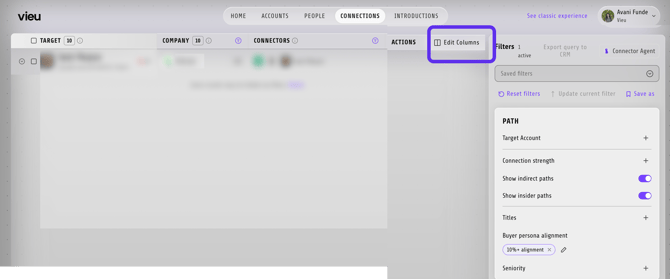
You can add columns such as:
- Alignment
- Vieu Score
- Seniority
Use these columns to compare stakeholders and decide who to prioritize.
Use Connector Agent to find the best way in
Click Connector Agent in the upper-right corner and ask questions about the selected account.
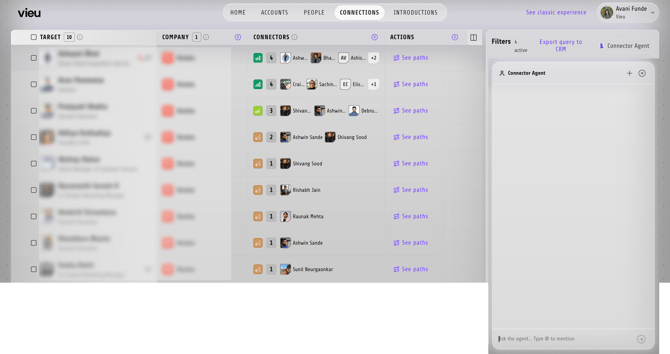
For example:
- Who is the most reachable stakeholder at this account?
- Which stakeholder has the strongest connection path?
- Show me verified paths into this account.
- Are there any insider paths available?
- Which person should I prioritize for an introduction?
Once you find the most credible route, click See paths and shortlist it or request an introduction. Vieu’s Intro Agent will take care of the next steps and keep the request moving.
Once requested, the introduction is automatically tracked in Introductions Vieu, so it stays visible and easy to follow up on.
Best practice:
If you want to understand the account before reaching out, try Account tab instead. It gives you additional context such as stakeholders, buying signals, and recent activity.
- Open the Account Plan to understand the opportunity.
- Return to the account and click View Connections to find the best introduction path.
Need help?
For help creating account lists, improving searches, or setting up workflows, reach out to your CSM or contact Vieu Valet at valet@vieu.com.