
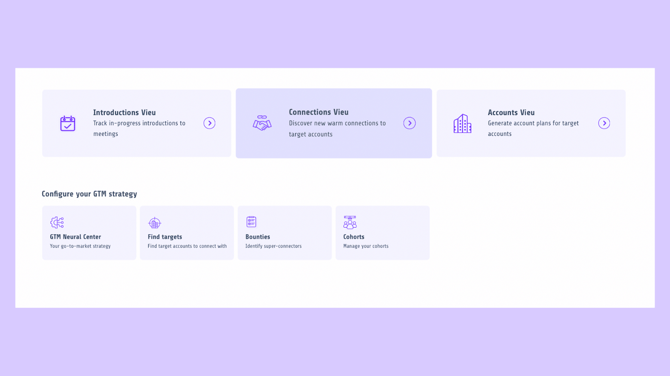
Vieu’s Connections view helps you uncover the strongest relationship paths into the people and companies you want to reach. Whether you’re targeting a specific executive or working through a broader account list, Connections shows you who can introduce you, how they’re connected, and which path is most likely to work.
From the Connections view, you can find relationship paths in four different ways, depending on your goal.
To an account
Use this when you have a specific company in mind and want to understand how your network connects into it. Vieu shows you potential introducers, their relationship strength, and the best paths into that account.
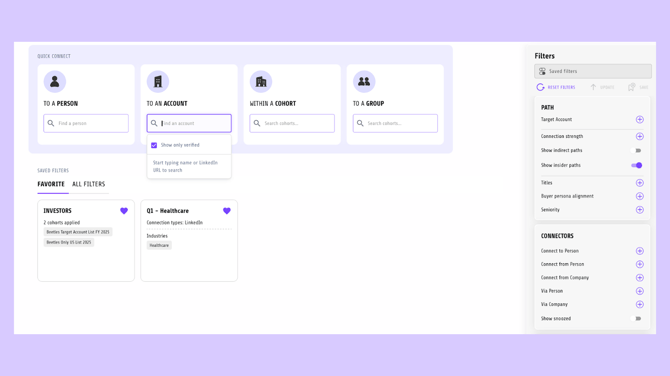
Learn more: Finding connections to an account
To a person
Use this when you’re targeting a specific individual, such as an executive or decision-maker. Vieu helps you discover who in your network already knows them and how strong that relationship is.
Learn more: Finding connections to a person
Within a cohort
Use this when you’re working with a predefined list of target accounts, such as an ABM list or a strategic segment. Instead of searching one account at a time, Vieu surfaces the strongest connection paths across the entire cohort.
Learn more: Finding connections within a cohort. Make sure you’ve already created a cohort before using this option.
To a group
Use this when you want to find connections into a predefined group of people or accounts. Groups are useful when you’re exploring access across a specific audience, such as investors, founders, or leadership communities.
Learn more: Finding connections to a group
Refining your results with filters
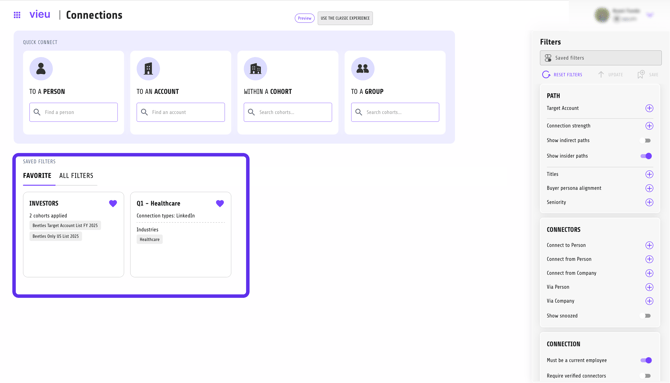
Once you choose how you want to find connections, you can use filters to narrow down paths based on criteria like connection strength, target account type, or connector attributes. Filters help you focus on the most relevant and actionable introductions.
Saved and pinned filters give you a faster way to surface the same high-value connection paths again and again.
Learn more: Using filters in Connections
What happens after you find a connection
After identifying a relevant connection path, you can take action in two ways:
You can request an introduction, which opens a pre-drafted intro request that you can review and send.
Or, you can pin the connection to track it for later.
Both requested introductions and pinned connections automatically appear in Introductions Vieu, where you can track progress, follow up, and manage outcomes end to end.
Need help finding the right connections?
If you need help creating cohorts, finding connection paths, or pulling relevant relationship insights, you can always reach out to Vieu Valet.
Just email valet@vieu.com with your request, and the team will help you get what you need.