---
title: Find warm paths to any account, person, or role in Slack
description: Surface ranked warm paths into any account and turn them into requested introductions without leaving Slack.
---
[Skip to content](https://help.vieu.com/how-to-connect-vieu-agent-to-slack-0-2#main-content)

Open main navigation
Close main navigation
- Contact us
Contact us
How can we help you?
- There are no suggestions because the search field is empty.
1. [Vieu Knowledge Base](https://help.vieu.com/?hsLang=en)
2. [Integrations](https://help.vieu.com/integrations?hsLang=en)
3. [Vieu Agent for Slack](https://help.vieu.com/integrations?hsLang=en#vieu-agent-for-slack)
# Find warm paths to any account, person, or role in Slack
## Discover warm paths into a target account and turn them into requested intros: all from Slack.
**Who this is for:** Sellers, founders, and anyone building pipeline through warm introductions.
Every path Vieu surfaces uses relationships your company already has: colleagues, board members, investors, previous coworkers, and past customers.
This article covers three moments in that flow: finding the path, requesting the intro, and searching by a specific colleague's network.
### **Step 1: Find a warm path into a target**
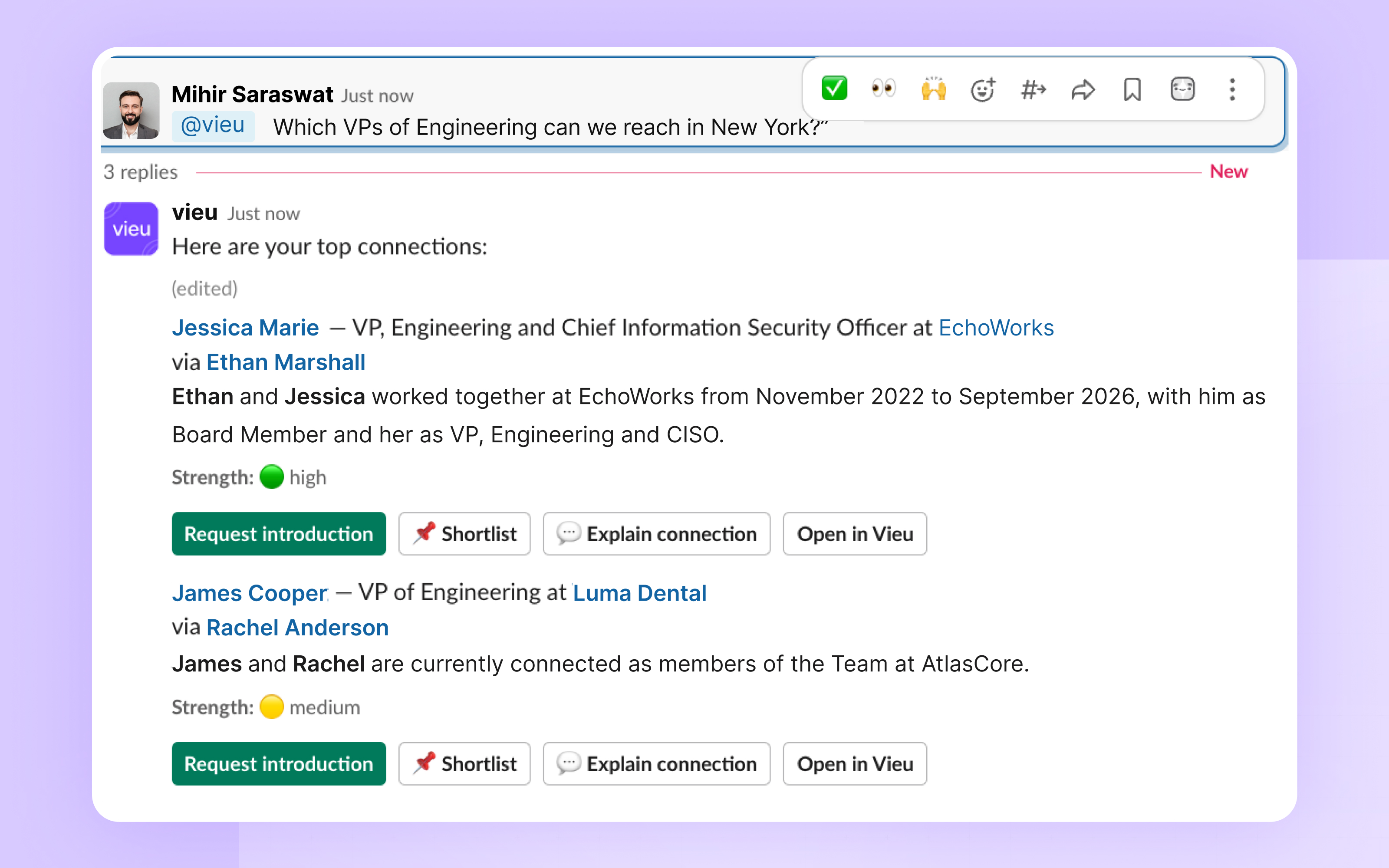
Ask Vieu who you know at a company, or who you can reach in a specific role or region. Results are ranked by relationship strength and show the introducer for each path.
**Try these prompts:**
- *"Who do we know at Snowflake?"*
- *"What's my warmest connection to Canva?"*
- *"Which VPs of Engineering can we reach in New York?"*
### **Step 2: Request the introduction**
When you find a path you like, click **Request introduction**.
Vieu drafts both messages inside Slack: your note to the introducer and the forwardable message they can send to the target. Review, edit if needed, then send.
**Try these prompts:**
- *"Find my best path into Ramp and request the intro"*
- *"Which introductions am I waiting on?"*
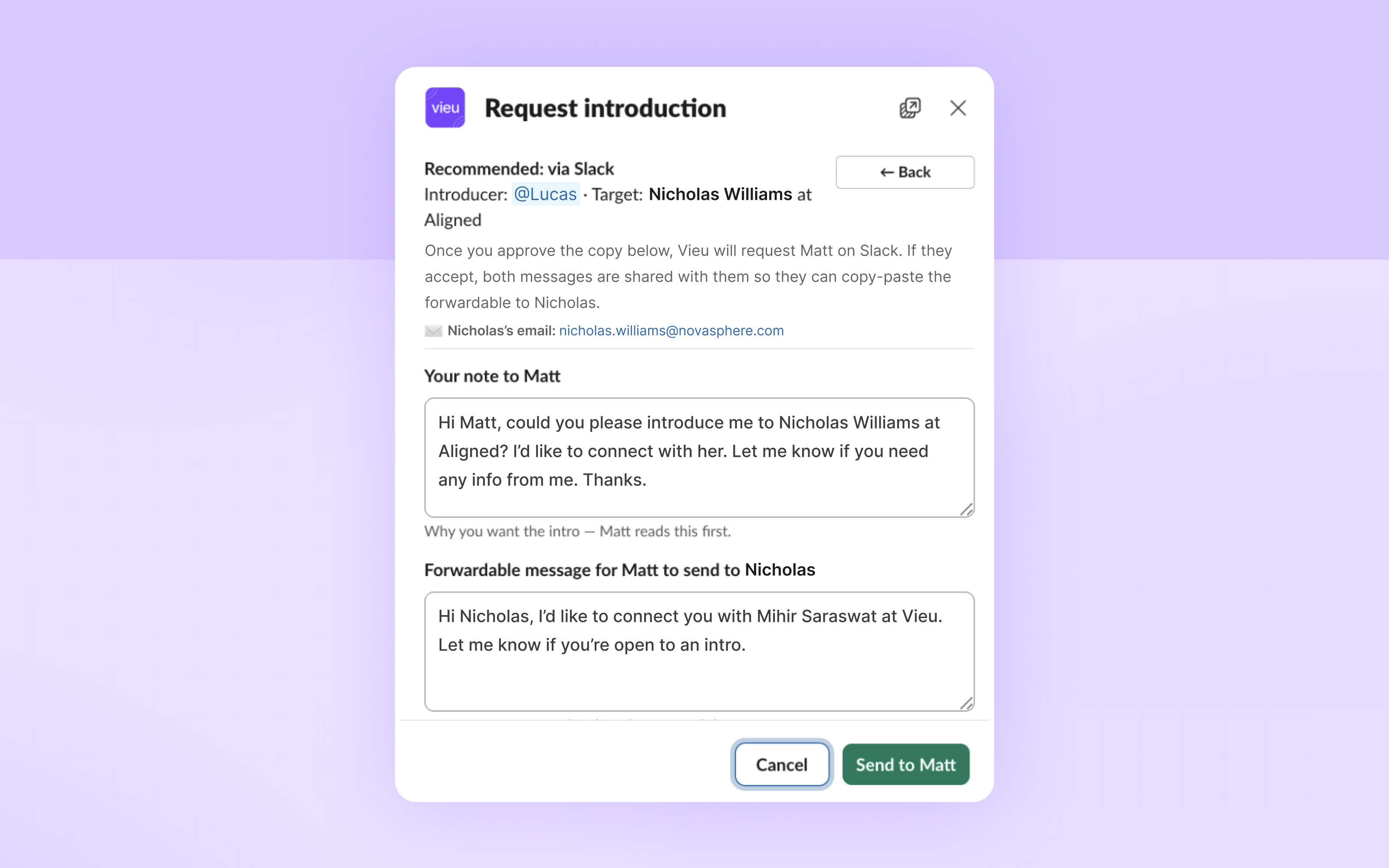
*The Request introduction modal: Vieu drafts both the note to the introducer and the forwardable to the target.*
**What happens after you send:**
- Vieu DMs the introducer on Slack with your note.
- If they accept, both messages are shared with them so they can forward the message cleanly.
- The request is logged in your Vieu pipeline and synced to your CRM.
- Vieu DMs you as soon as the introducer responds.
### **Step 3: Borrow a colleague's network**
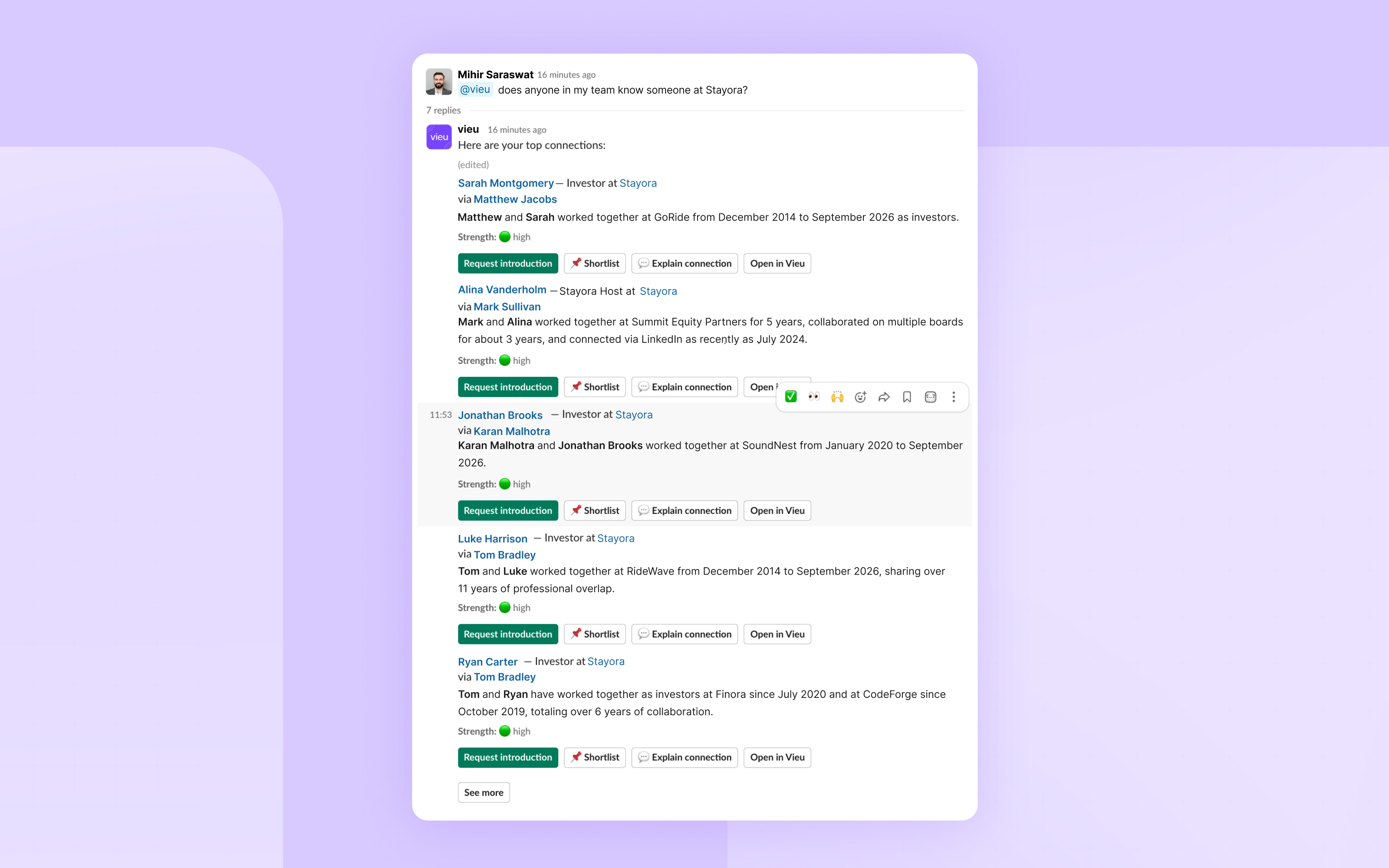
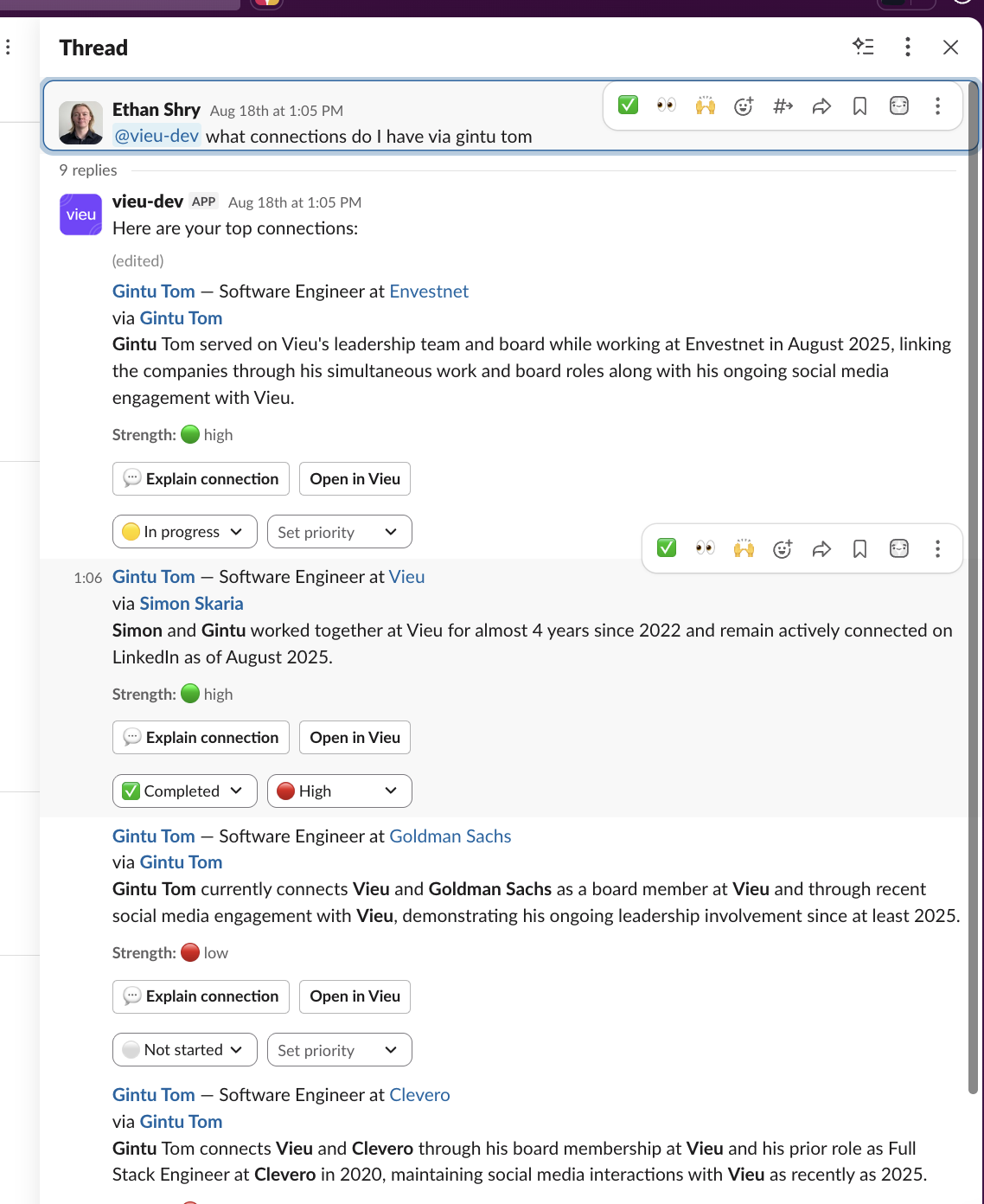
Every colleague's relationships count as yours. You can search across your team as a whole, or ask about a specific person's network.
**Try these prompts:**
- *"Does anyone on my team know someone at Airbnb?"*
- *"What connections do I have via Gintu Tom?"*
**Tip** Coverage grows with every colleague on Vieu. If your search returns nothing, check who on your team has connected their LinkedIn. The graph gets denser with each addition.
### **If no warm path exists:**
Vieu will tell you when there is no reachable path. When that happens, switch to research mode to build a cold approach: see *Research people and accounts before you reach out*.
### **Related articles**
- [Set up the Vieu Slack app for your team](https://help.vieu.com/how-to-connect-vieu-agent-to-slack-0-1?hsLang=en)
- [Research people and accounts before you reach out](https://help.vieu.com/how-to-connect-vieu-agent-to-slack-0-3?hsLang=en)
- [Manage your accounts and lists from Slack](https://help.vieu.com/how-to-connect-vieu-agent-to-slack-0-4?hsLang=en)
**Need help?**
If you run into issues during setup or want help with field mapping, reach out to us at **[valet@vieu.com.](mailto:valet@vieu.com)**
- [Getting started](https://help.vieu.com/getting-started?hsLang=en)
- [Integrations](https://help.vieu.com/integrations?hsLang=en#main-content)
- [MCP Integration (AI Assistants)](https://help.vieu.com/integrations?hsLang=en#mcp-integration-ai-assistants)
- [CRM Integrations](https://help.vieu.com/integrations?hsLang=en#crm-integrations)
- [Chrome Extension](https://help.vieu.com/integrations?hsLang=en#chrome-extension)
- [Email & Calendar](https://help.vieu.com/integrations?hsLang=en#email-calendar)
- [Vieu Agent for Slack](https://help.vieu.com/integrations?hsLang=en#vieu-agent-for-slack)
- [Finding Connections & Intros](https://help.vieu.com/finding-connections-intros?hsLang=en)
- [Requesting & Tracking Introductions](https://help.vieu.com/requesting-tracking-introductions?hsLang=en)
- [Account Planning and People Outreach](https://help.vieu.com/account-planning-and-people-outreach?hsLang=en)
- [Support](https://help.vieu.com/support?hsLang=en)
[](https://help.vieu.com/?hsLang=en)
Copyright © 2026, Vieu