
Cohorts in Vieu help you organize lists of companies or people so you can run network analysis, discover connections, and execute warm-intro strategies at scale.
This article covers what cohorts are, the different types of cohorts you can create, why they matter, and how to create one in Vieu.
What are cohorts in Vieu?
A cohort is a predefined list that groups together either companies or people based on your targeting needs.
Instead of looking at connections one account or person at a time, cohorts allow you to work with lists. Cohorts are especially useful when you are running account-based motions, partner-led plays, or executive-engagement strategies.
Types of cohorts
Vieu supports two types of cohorts. The type depends on what you upload and what you want to discover connections into.
1. Company cohorts |
2. Person cohorts |
|
A company cohort is a list of target companies. You typically use company cohorts when you want to work with a defined list of accounts (for example, ICP accounts or ABM targets). |
A person cohort is a list of specific individuals. You typically use person cohorts when you want to plan outreach into a known set of contacts |
Why do you need cohorts?
Cohorts make network intelligence actionable at scale.
Instead of manually checking connections for each account or person, cohorts allow you to:
- Prioritize accounts or people with the highest likelihood of warm access
- Reuse the same target lists across different workflows in Vieu
How to create and upload a cohort in Vieu
Follow the steps below to create a cohort by uploading a list of companies or people.
Step 1: Start creating a cohort
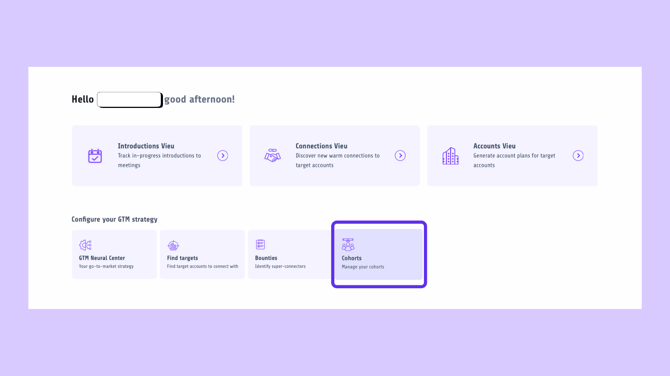
Go to Cohorts from the main navigation.
Step 2: Choose what you want to upload
Click Company Cohort + if you are creating a company cohort, or Person Cohort + if you are creating a person cohort.
Once selected, the upload section becomes active.
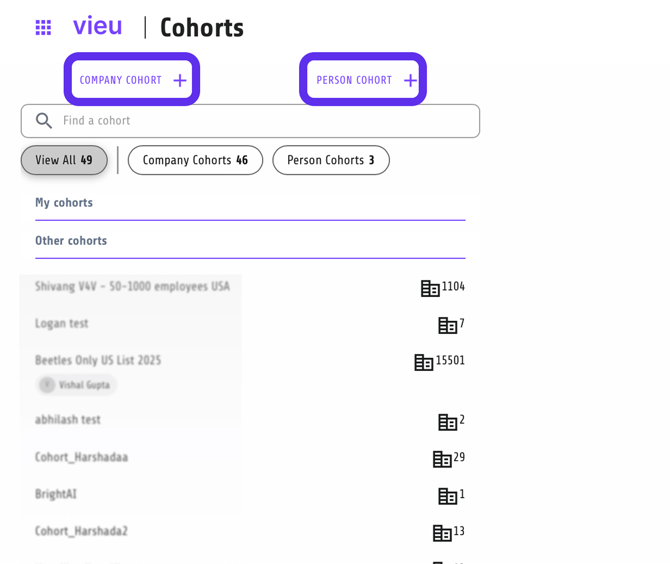
This opens the Create a cohort of leads modal.
Step 3: Name your cohort
In the Cohort name field, enter a clear and descriptive name for your cohort.
For example, you might name it based on:
- The motion you are running (ABM List, Partner Targets, Executive Outreach)
- The segment or campaign this list belongs to
This name will appear wherever you select the cohort inside Connections Vieu.

Step 4: Upload your file
You can upload a CSV, XLS, or XLSX file directly. Vieu will automatically process the file once it is uploaded.
Or you can download the predefined template, fill in the required details, and upload the completed file.
For best results, upload a CSV file and include LinkedIn URLs.
Step 5: Create the cohort
After the file is uploaded successfully, click Create Cohort. Your cohort is now created and will appear in the Cohorts list.
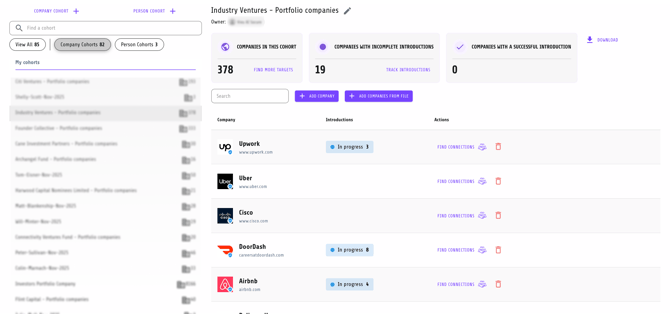
You can immediately use this cohort inside Connections Vieu to analyze relationship paths and discover introducers.
Need help?
If you have any questions or run into issues, you can write to us at vieu@valet.com