
The Vieu Chrome Extension works across multiple platforms including LinkedIn, CRM systems, and email tools.
This article focuses specifically on how to install the extension and use it while browsing LinkedIn to discover and act on connections.
With the extension installed, you can:
-
See connections to a LinkedIn profile
-
Understand how two people are connected
-
Message introducers directly on LinkedIn
-
Pin connections to review later in Vieu
Get started
Install the Vieu Chrome Extension
1. Open the extension page to install Vieu: Open in Chrome
2. Click Add to Chrome, then choose Add Extension to confirm over the pop-up prompt.
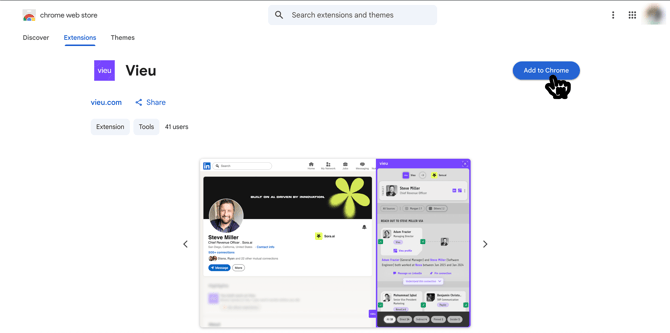
3. Click the Extensions icon (puzzle icon) in Chrome, find Vieu, and click the Pin icon so the extension appears in your browser toolbar.
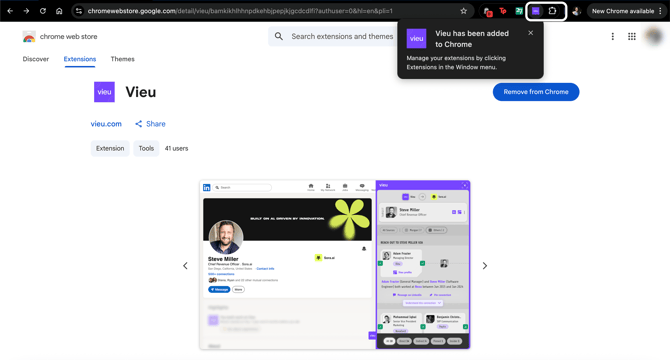
Once pinned, you can easily open the extension while browsing LinkedIn.
How to use the extension
Step 1: Find a prospect
-
To start using the extension, Open a profile, company, or search result while you’re prospecting.
-
Click the Vieu extension icon in your browser toolbar and log in using your Vieu account. Once logged in, the extension will begin detecting supported LinkedIn pages.
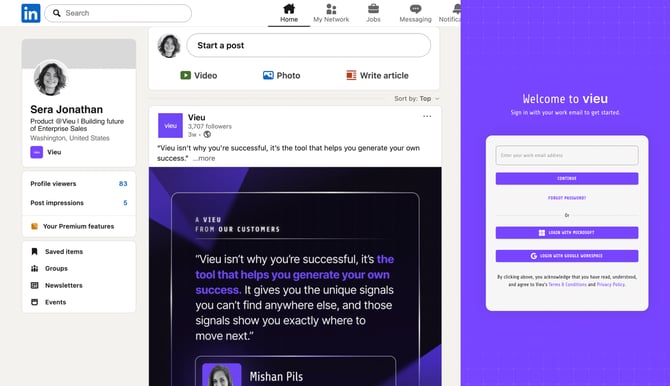
Step 2: Find Connections for a Person / LinkedIn Profile
To see connections for a person:
- Go to the LinkedIn profile of the person you want to reach.
- Open the Vieu extension panel.
- You’ll see a list of people in your network who can introduce you to that prospect.
.png?width=670&height=419&name=Vieu%20Product%20Screenshot%201%20%20(1).png)
From this view, you can quickly:
- Review a list of potential introducers
- See a summary of introduction paths
- Open deeper relationship insights using “Understand this relationship”
- Message the introducer on LinkedIn using “Message on LinkedIn”
- Filter between the type of connections i.e. Direct or Indirect connections
- Pin the connection using “Pin connection”
If no connections are found
If no connection paths are available for a profile, you can still take action:
Click the email icon in the extension to unlock contact details and open the profile in Vieu.
This takes you to the Individual Profile Brief (IPB), where you can:
- Access available contact details like email
- Review deeper profile insights
- Continue your outreach even without a warm introduction path
This ensures you’re never blocked, even when a direct or indirect connection isn’t available.
Step 3: Understand the path
To explore how an introducer is connected to the target:
- Find the introducer in the extension list.
- Click on Understand this relationship review additional relationship insights.
This view provides additional context about the relationship and helps you determine whether it makes sense to request an introduction.
.png?width=670&height=419&name=Vieu%20Product%20Screenshot%202%20(1).png)
Step 4: Request an introduction
To request an introduction:
- Identify the introducer in the extension.
- Open the introducer’s LinkedIn profile.
- Send a message requesting the introduction.
Step 5: Pin the connection or save for later
To save a connection for later, Click Pin next to the introducer in the extension. The Pinned connections are saved in Vieu so you can review, manage and act on them later.
Check out the step by step guide on how to download and use the Vieu Chrome Extension
Step by step guide
Discover Connections in LinkedIn Search
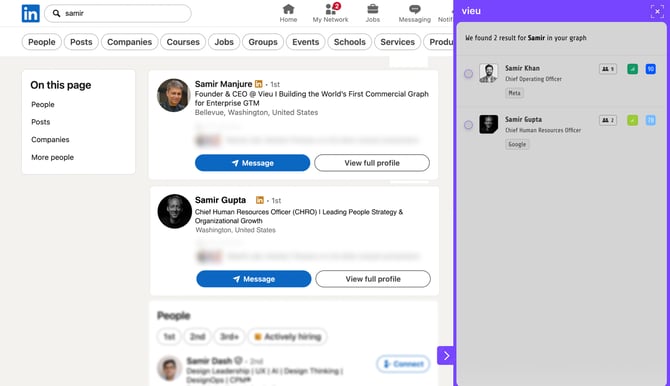
You can also use the extension while browsing LinkedIn search results.
- Run a search in LinkedIn.
- Review the search results.
- Open the Vieu extension panel.
The extension highlights people where a potential introduction path exists so you can prioritize reachable prospects.
Next steps
Vieu helps you move from prospecting to introductions, without switching tools.
- Review pinned connections in Vieu
- Track introduction progress
- Follow up with the right context
Need help?
Have questions or need help getting started? Reach out to us at valet@vieu.com