
Whether you’re checking connections, tracking introductions, or reviewing accounts, logging in is the easy part.
Here’s how to access your Vieu account and get started.
How to log in to Vieu
There are two simple ways to access your account.
Option 1: Use the direct login link (recommended)
If you already have access, the fastest way is to use the direct login page:
Log in to Vieu here: https://vieu.com/login
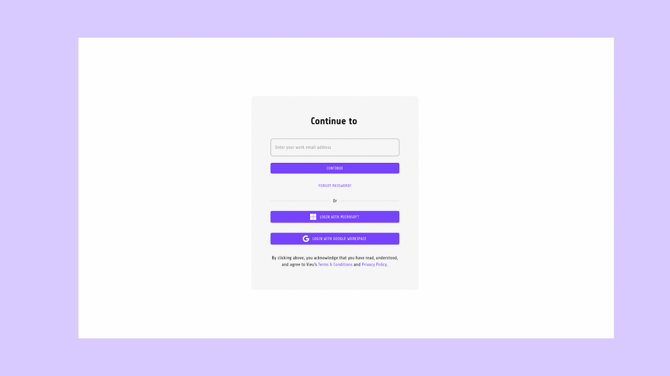
Tip : Bookmarking this link makes it easy to jump back in anytime.
Option 2: Log in from the Vieu website
You can also log in from the main Vieu website:
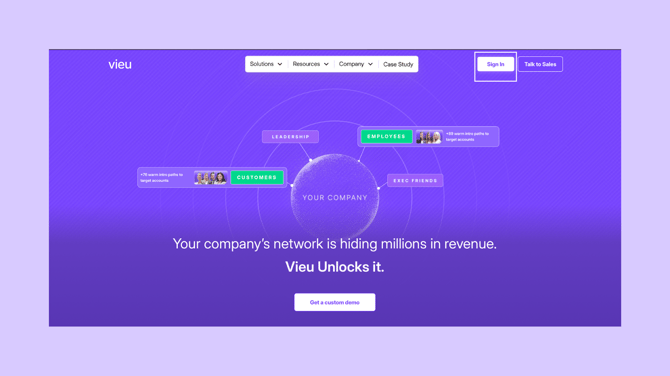
- Go to https://try.vieu.com/
- Click Sign in in the top-right corner
- Enter your email and password you have used to sign up.
You’ll be redirected to the same secure login flow as above.
Note on access
- Make sure you’re using the same work email that was used to invite you
- If your team uses SSO, you’ll be prompted to sign in through your organization
- If you’re not sure whether you’ve been invited, check with your RevOps or admin team
Trouble logging in?
If you’re running into login issues, or you’re not sure how to access your account, write to us at valet@vieu.com or connect immediately with your CSM.