
Keeping introductions organized is key to turning warm paths into real conversations. In Vieu, updating status and priority helps you track progress, focus on what matters most, and ensure important introductions don’t stall.
This article explains how to update status and priority, when to use each option, and best practices for managing introductions effectively.
Step 1: Go to Introductions Vieu
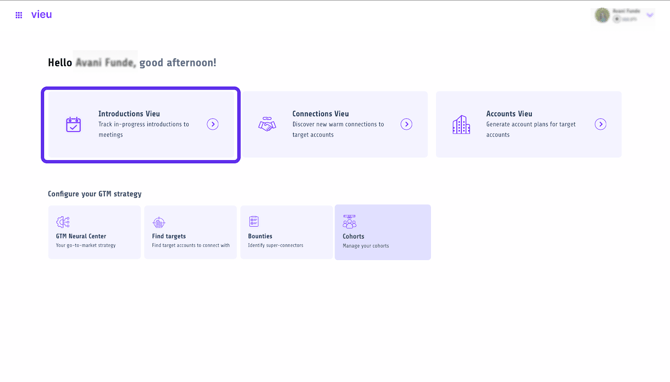
Log in to Vieu and navigate to Introductions Vieu from the main menu or click here.
This view shows all pinned and requested introductions in one place.
Step 2: Locate the Introduction You Want to Update
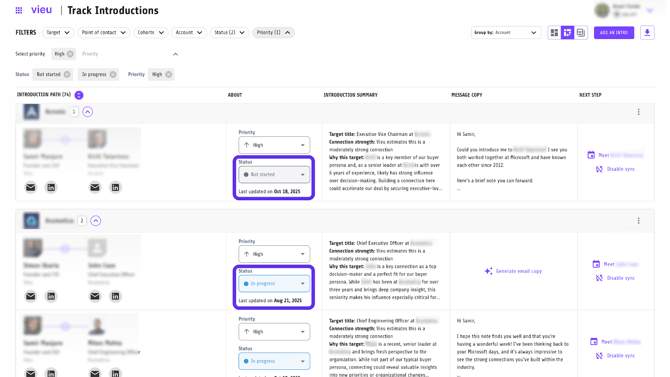
Use filters like Status, Priority, Account, or Cohorts to quickly find the introduction you want to work on.
Once located, review the introduction row to understand its current context.
Step 3: Update the Introduction Status
Each introduction includes a Status field.
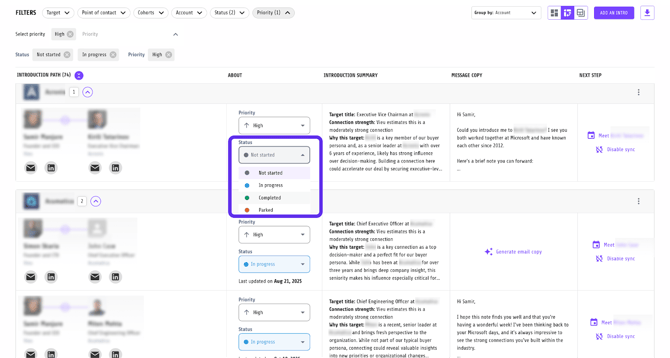
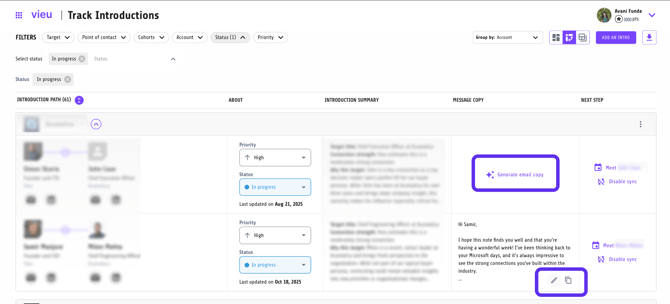
Click on the Status dropdown for the introduction and select the appropriate option:
- Not started
Use when an introduction has been created but no action has been taken. - In progress
Use once the intro request has been sent or the connector is actively working on it. - Completed
Use when the introduction has successfully happened. - Parked
Use when the introduction is intentionally paused due to timing or priority changes.
Updating status keeps your introductions list accurate and actionable.
Step 4: Set or Change Priority
Next to the status, you’ll find the Priority field.
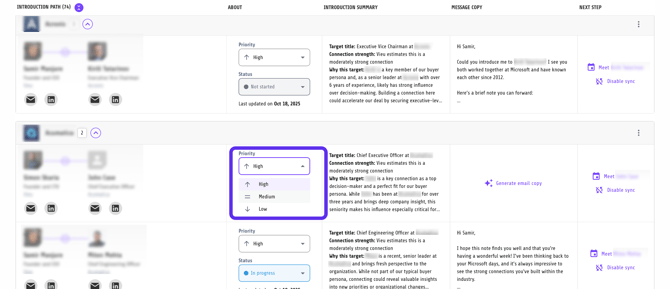
Click the Priority dropdown and select:
- High for time-sensitive or high-impact introductions
- Medium for important but non-urgent paths
- Low for introductions that can wait
Priority helps you quickly identify which introductions need attention first.
Step 5: Send the Introduction Request
Once status and priority are set, review the introduction message.
If an email draft isn’t already available, click Generate email copy to create one.
Edit the message if needed, then send the intro request directly to the connector with full context.
This is the final step that turns a pinned introduction into a real conversation.
Best Practices for Managing Status and Priority
-
Update status as soon as something changes to avoid stale introductions.
-
Use high priority sparingly so urgent introductions stand out clearly.
-
Park introductions instead of leaving them inactive when timing isn’t right.
-
Review high-priority and in-progress introductions regularly to prevent stalls.
-
Align status with real-world progress, not assumptions.
Need help?
If you need help updating an introduction, changing priority, or managing a specific intro, reach out to Vieu Valet.
Email valet@vieu.com with your request, and the team will help move it forward.