
People Lists help you organize the people you're targeting into meaningful groups, making it easier to prioritize outreach, research stakeholders, and find warm introductions.
You can use People Lists to:
- Build target stakeholder lists
- Organize buying committees
- Group people by role, function, or territory
- Track executive relationships
- Manage named contacts and prospects
Access your People Lists
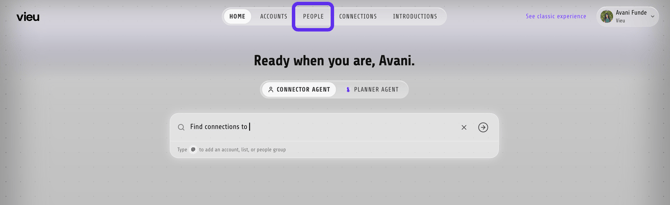
1. From the top navigation bar, click People.
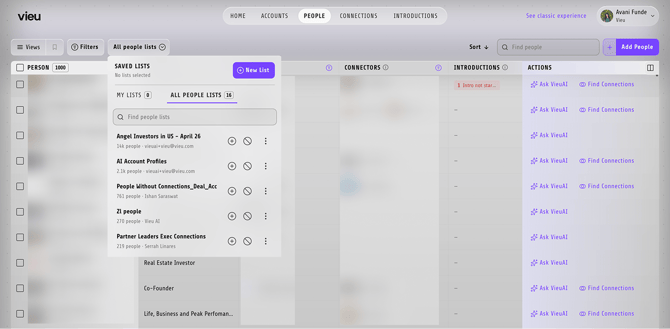
After clicking People Lists, the dropdown displays all People Lists available to you. Select a list to display only the people included in that list.
New to People Vieu? Start with the People Vieu Overview article for a complete walkthrough of the page, available views, filters, and stakeholder insights.
There are three ways to create and manage People Lists in People Vieu.
1. Create a new People List
Create a new People List when the people you want to organize already exist in Vieu.
Open People Vieu.
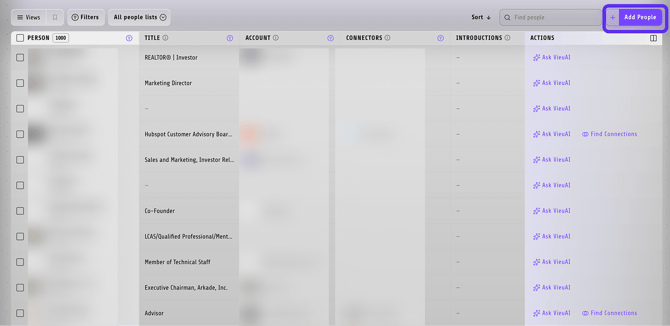
1. Click Add in the upper-right corner.
2. Search for and select the people you want to add.
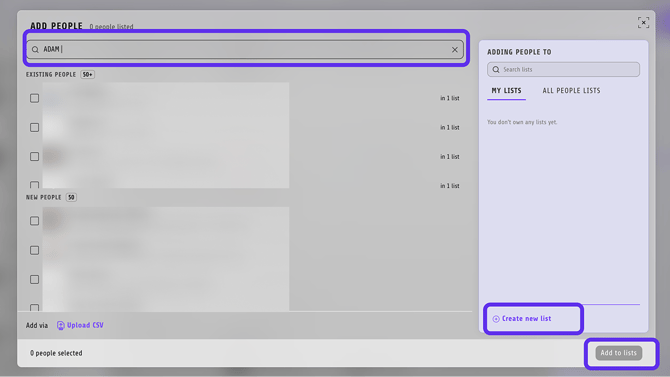
3. Click Create New List.
4. Enter a name for the list.
5. Save the list.
Your new People List will immediately appear in the People Lists dropdown.
2. Upload people to a People List
Upload people when they aren't already available in Vieu.
1. Open People Vieu.
2. Click Add in the upper-right corner.
3. In the Add People window, select Add via Upload CSV.
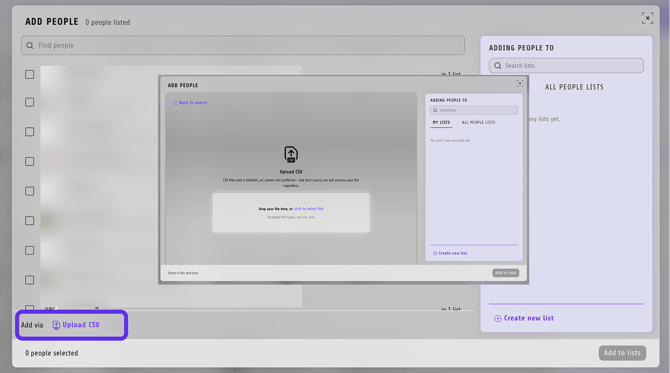
4. Upload your CSV file.
5. Choose an existing People List or create a new one.
6. Complete the import.
3. Manage people in an existing People List
Once a People List has been created, you can add or remove people at any time.
1. Open the People List you want to update from the People Lists dropdown.
2. Select one or more people using the checkboxes on the left side of the table.
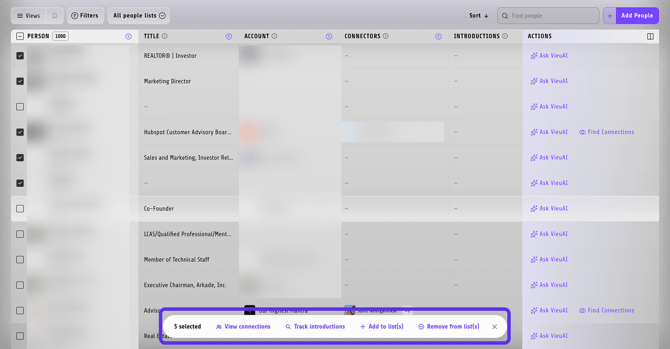
-
- Add to List(s) to add the selected people to another People List.
- Remove from List(s) to remove the selected people from a People List.
Select the People List you want to update.
Need help?
If you need help creating People Lists, uploading stakeholders, or organizing your target contacts, reach out to your Customer Success Manager or contact Vieu Valet at valet@vieu.com.