
Vieu's Connector Agent gives you four different ways to discover relationship paths using the Each method is useful depending on what you’re trying to do.
- To an Account - Use this when you already have a specific company in mind and want to see who in your network can introduce you.
- To a Person - Use this when you are targeting a specific individual and want to understand how they are connected to your network.
- Across an Account List- Use this when you are working with a predefined list of companies (uploaded or created as a cohort).
- To People Groups - Use this when you are working with a predefined list of people and want to find connections into that group.
Why use “To an account” to find connections?
Finding connections to an account is best when you already know which company you want to break into.
This is especially useful when:
- You’re working a named account or active opportunity
- You want to see if anyone in your network can open doors
- You want to compare multiple possible introducers into the same company
This approach starts with the account and shows you all available paths into that company.
How to find connections to an account
Find connections to an account
Use this workflow when you want to understand who can help you get into a specific company.
Step 1: From the Home page, make sure you are using the Connector Agent.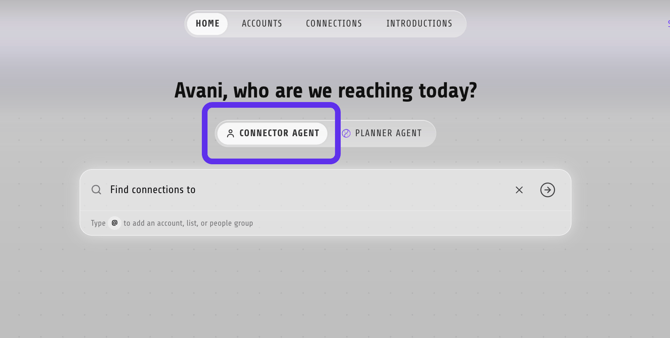
Step 2. In the search bar, make sure Accounts is selected.
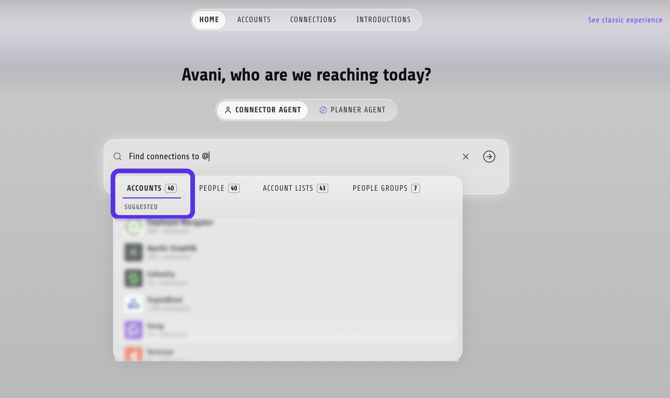
Step 3. Enter the name of the account you'd like to target after Find Connections to @
Step 4. Select the account from the search results. Vieu will automatically find and display the strongest relationship paths into that account.

Review the available connections in Connections Vieu.Use the results to identify stakeholders, connectors, and potential introducers.
Step 5: Open a connection to explore relationship paths
Click on any connection in the filtered list to:
- View available connection paths
- See who can introduce you
- Understand why a connection exists
If a path looks promising, click Explore Path to review the relationship context in more detail.
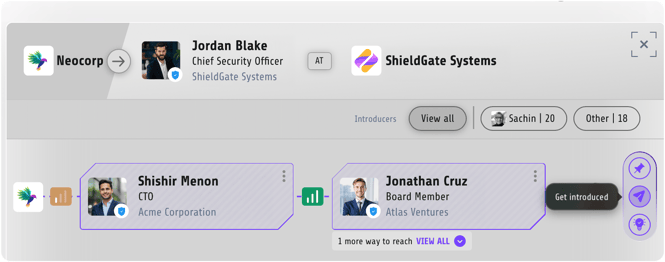
Step 6: Review the relationship and track the introduction
When you find a strong path, Request the introduction with clear, relevant context.
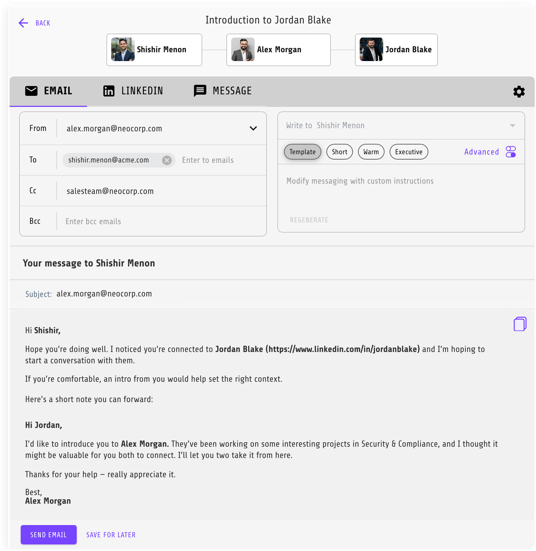
Once requested, the introduction is automatically tracked in Introductions Vieu, so it stays visible and easy to follow up on.
The best results come from using the strongest, most relevant connection, not just the closest one.
Need help?
If you have questions about cohorts, filters, or choosing the right connection path, reach out to us at valet@vieu.com. We’re happy to help.