
Vieu's Connector Agent gives you four different ways to discover relationship paths using the Each method is useful depending on what you’re trying to do.
- To an Account - Use this when you already have a specific company in mind and want to see who in your network can introduce you.
- To a Person - Use this when you are targeting a specific individual and want to understand how they are connected to your network.
- Across an Account List- Use this when you are working with a predefined list of companies (uploaded or created as a cohort).
- To People Groups - Use this when you are working with a predefined list of people and want to find connections into that group.
This article focuses on finding connections across an Account List.
Why use Account List to find connections?
Instead of checking connections account by account, cohorts help you work at the list level, which saves time and surfaces better opportunities.
Account List lets you:
- See which accounts in that list are reachable through your network
- Identify where strong or direct connection paths already exist
- Focus effort on accounts where warm introductions are possible today
If you haven’t created or uploaded an account list yet, here’s how you can do it: Creating and managing Account Lists in Accounts Vieu
How to find connections using an existing cohort
Follow the steps below to explore connection paths into a list of accounts you have uploaded or created in Vieu
Follow the steps below to explore connection paths to a specific individual.
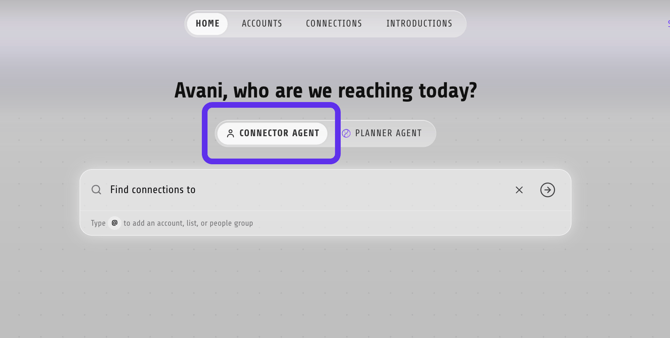
Step 1: From the Home page, make sure you are using the Connector Agent.
Step 2: In the search bar, select Account Lists.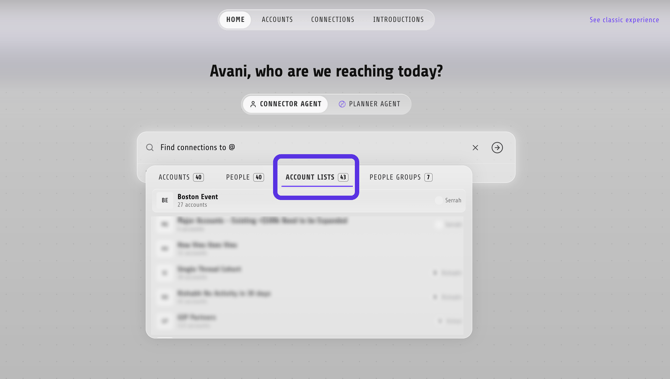
Step 3: Choose your Account List from the search results and Vieu will analyze all accounts in the list and surface relationship opportunities.
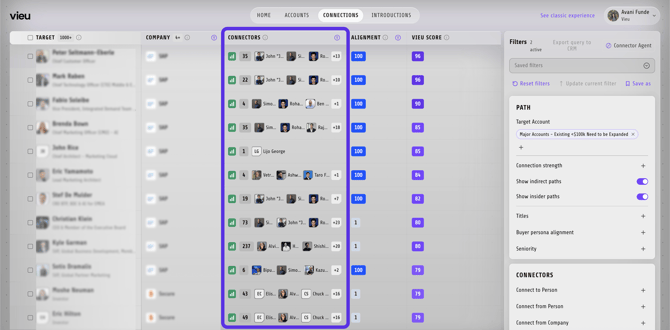
Step 4: Review the results and use the results to identify the most reachable accounts and the strongest warm paths across the list.
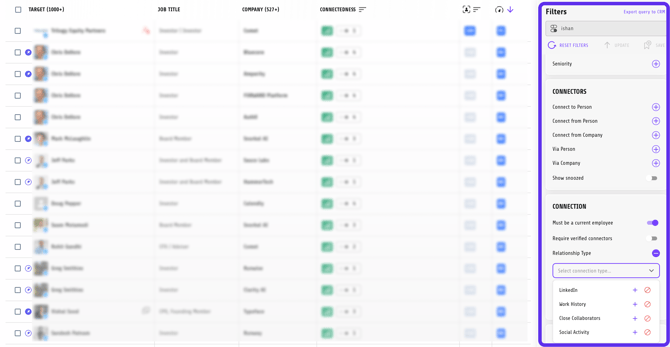
Step 5: Apply filters to narrow the list
Use filters on the right panel to focus on the most relevant opportunities. You can apply filters such as:
- Direct connection paths
- Seniority (for example, leadership roles)
- Relationship filters and more
As you apply filters, the list updates in real time and the number of reachable companies reduces accordingly.
Step 4: Open an account to explore connection paths
Click on any company in the filtered list to:
- Review available connection paths
- See who can introduce you
- Understand why a connection exists
If a path looks promising, click Explore Path to review the relationship context.
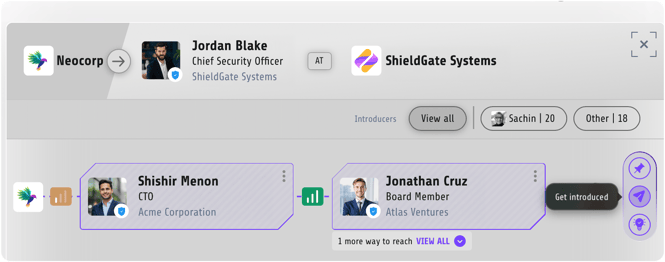
Step 5: Review the relationship and track the introduction
When you find a strong path:
- Review the relationship details and choose the connection best positioned to help you.
- Request the introduction with clear, relevant context.
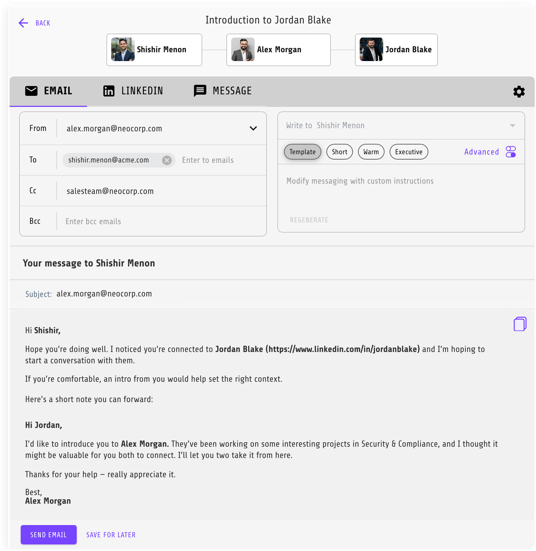
Once requested, the introduction is automatically tracked in Introductions Vieu, so it stays visible and easy to follow up on.
The best results come from using the strongest, most relevant connection, not just the closest one.
Need help?
If you have questions about cohorts, filters, or choosing the right connection path, reach out to us at valet@vieu.com. We’re happy to help.