
Vieu is designed to help you move from strategy → connections → introductions → outcomes, without losing context along the way.
This walkthrough explains what you’ll see on the Vieu home screen.
The Home Screen at a Glance
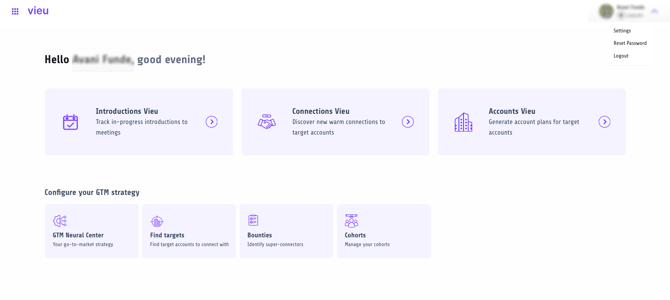
When you log into Vieu, the home screen is organized into two main areas:
Core workflows
Where you find connections, request introductions, and track progress.
GTM configuration
Where you set up the inputs that power your workflows.
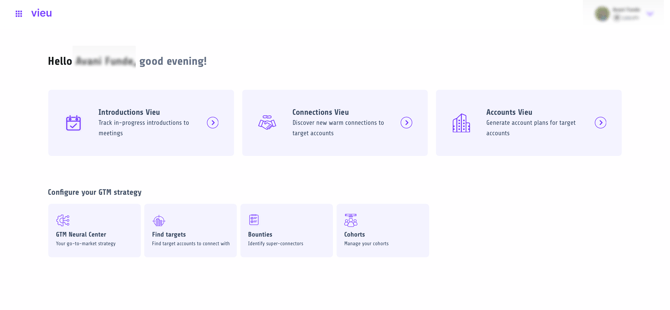
Now let's dive deep into each
1. Connections Vieu
Connections Vieu is where discovery happens. This is typically the first view you’ll use in Vieu.
Use this view when you want to answer one key question: “Who can get me a warm introduction?”

When you open Connections Vieu, you start by choosing how you want to find connections to a person, an account, within a cohort, or to a group.
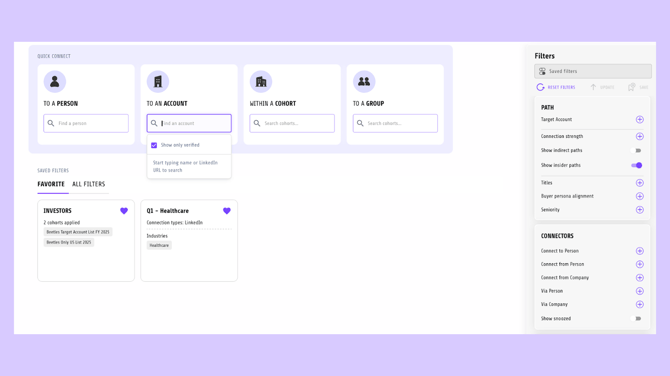
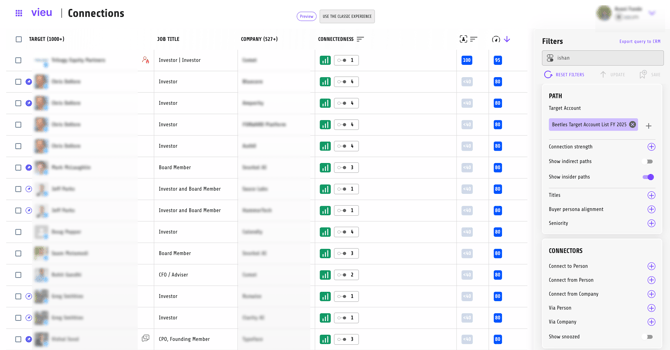
Once you choose how you want to find connections, Vieu shows you:
- Warm connection paths into people or companies
- The connectors involved in each path
- Relationship strength and source
- Deeper insights to help you decide whether a path is worth pursuing
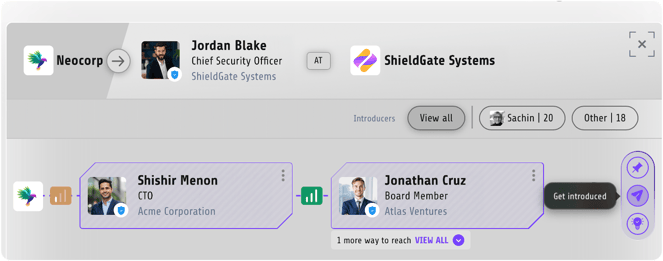
Clicking on any connection path lets you:
- Request an introduction immediately
- Pin the connection to track it later
- Review the introduction context before taking action
Pinned connections and requested introductions automatically flow into Introductions Vieu, so nothing gets lost.
Learn more: Finding Connections in Vieu (4 Ways)
Learn more: Requesting an Introduction in Vieu
2. Introductions Vieu
Introductions Vieu is where execution and tracking happens.
Use this view when you:
- Have already requested introductions
- Want to see which intros are pending, accepted, or stalled
- Need to follow up or update status and priority
When you click into Introductions Vieu, you’ll see:
- All active and past introduction requests
- Current status (requested, accepted, completed, stalled)
- Priority and ownership
- Timeline of activity and follow-ups
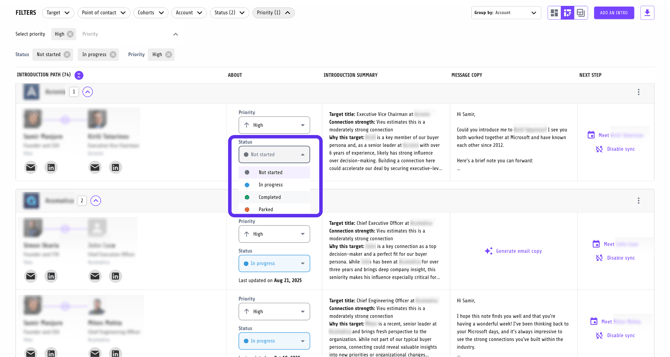
Any connection you pin or introduction you request from Connections Vieu lives here. This is your source of truth for keeping introductions moving forward
Learn more: Requesting and Tracking Introductions in Vieu
Learn more: Updating Introduction Status and Priority
3. Accounts Vieu
Accounts Vieu helps you monitor and prioritize target accounts at scale.
This view is designed for teams working account-by-account across ABM or enterprise motions, where knowing which accounts are warming up matters more than just having a list.
Use this view when you:
-
Are managing a list of target or active accounts
-
Want to quickly spot accounts showing higher or lower engagement
-
Need help deciding which accounts deserve attention right now
What you’ll see
-
An Account Engagement Index, showing overall engagement
-
Month-over-month movement (up or down) to indicate momentum
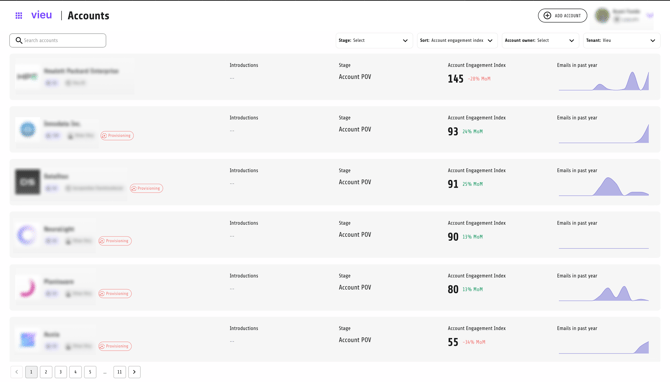
When you open an account, Vieu brings together:
- People associated with the account
- Existing relationship paths
- Connection strength and gaps
4. GTM Neural Center
Use the GTM Neural Center to see, test, and fine-tune the networks Vieu uses to surface connections and introductions. et this up before spending time in Connections Vieu so results reflect how your team actually sells.
When you open the GTM Neural Center, you’ll see a snapshot of the different networks powering your GTM motion, such as:
-
Corporate Network – people connected through your company
-
Network Boosters – individuals who extend reach through strong social connections
-
Partner Network – partners and alliances that can unlock introductions
-
Customer Network – existing customers who expand access into new accounts
Each card shows the size of the network and a clear entry point to explore that network in more detail.
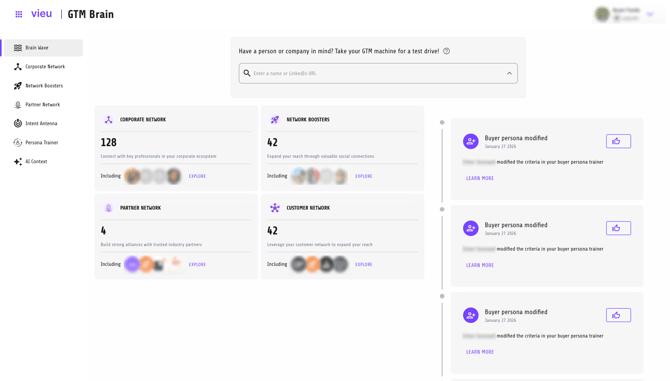
This helps you understand where your reach is coming from before you start searching for connections.
Find Targets
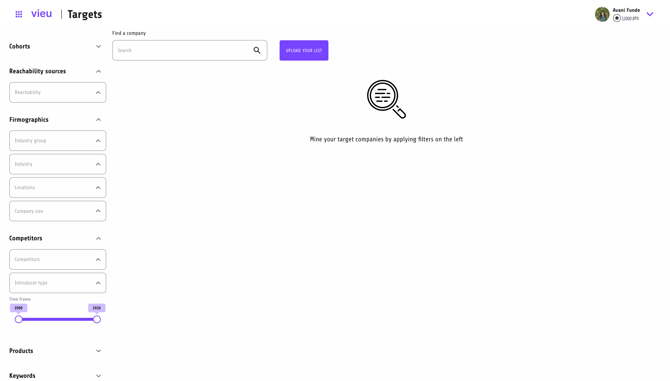
Use this view to build and maintain your target account list.
You can identify accounts you want to break into, prioritize them, and use these accounts as inputs for connection searches. Any account added here can be explored further in Connections Vieu or monitored in Accounts Vieu.
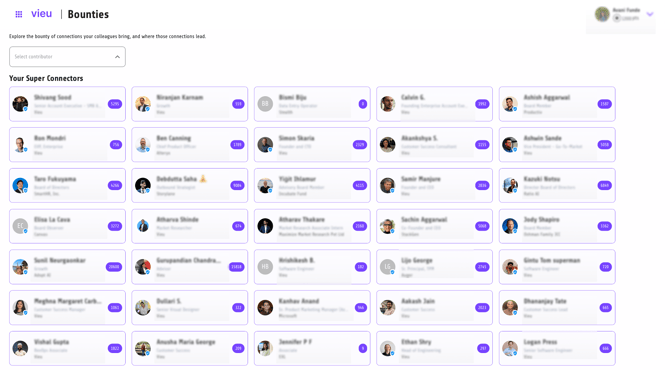
Bounties
Use this view to identify people inside your company who can help unlock introductions.
Bounties shows you where leverage exists. Bounties surface teammates with strong external connections so Sales knows who to approach for warm intros. This is especially useful for referral programs or when deals need senior or trusted access.
Cohorts
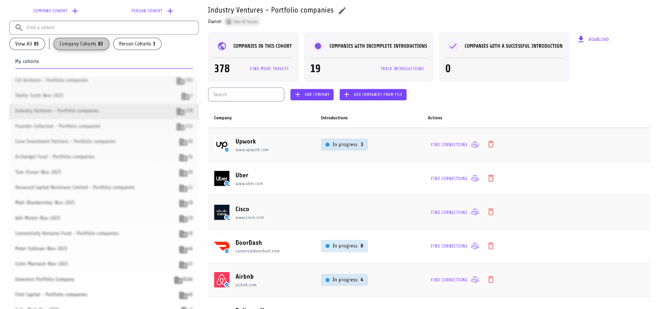
Co-horts helps organize people or accounts into focused lists.
Use this when you:
- Work with predefined lists (ABM accounts, event attendees, investor portfolios)
- Want to run repeatable connection searches
- Need to manage introductions at scale
Learn more: Creating and Managing Cohorts
Learn more: Finding Connections Within a Cohort
Profile & Settings (Top Right)
From the top-right menu, you can manage your personal and account settings.
Profile
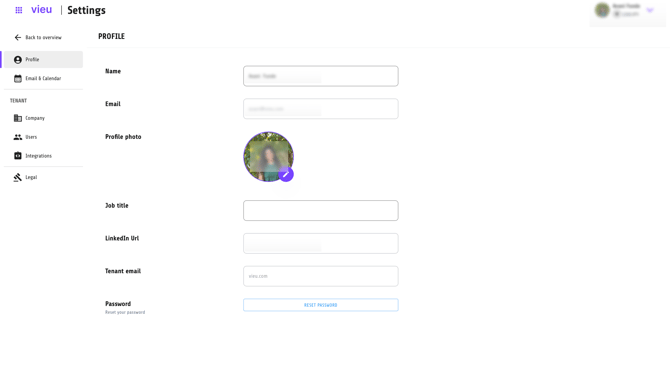
Update your profile:
- Name and profile photo
- Job title and LinkedIn URL
- Password
Keeping this accurate ensures introduction emails and context are correct.
Email & Calendar
Connect your inbox to:
- Send introduction emails directly from Vieu
- Track replies and follow-ups automatically
- Keep everything in one workflow
Company, Users, and Integrations
Admins can manage:
- CRM and tool integrations
- Team access and permissions
- Company-level settings and compliance
What Should You Do First?
If you’re new to Vieu, a simple starting path looks like this:
- Set up your profile and connect your email
- Create or upload cohorts or target accounts
- Use Connections Vieu to find warm paths
- Request or pin introductions
- Track progress in Introductions Vieu
And if you ever need help, all our CSMs and valet@vieu.com is just a message away.