
Your account menu is the quickest way to access your personal settings, company-wide administration tools, and workspace configuration.
Click your profile photo in the top-right corner to open the menu.
The menu is divided into two sections:
- Company – Organization-wide tools
- Your Account – Personal settings and shortcuts
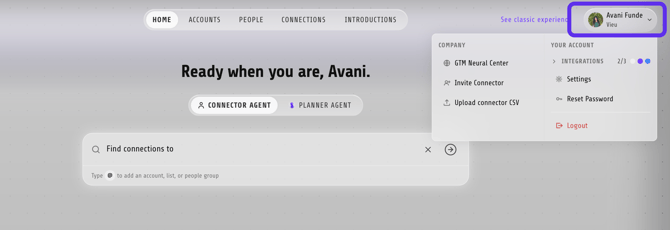
Company
These options help administrators manage organization-wide configuration.
| Option | What it does |
|---|---|
| GTM Neural Center | Configure the relationship graph and AI intelligence that power Vieu. → Read: GTM Neural Center Overview |
| Invite Connector | Copies a direct invite link to your clipboard, ready to share with colleagues. |
| Upload Connector CSV | Upload LinkedIn connection exports in bulk instead of inviting users individually. → Read: Upload Connector CSV |
Your Account
These options relate to your personal account.
| Option | What it does |
|---|---|
| Integrations | Shows the status of your connected integrations. Select it to manage or troubleshoot your integrations. |
| Settings | Opens your personal profile and workspace settings. |
| Reset Password | Takes you directly to the password reset flow. |
| Logout | Signs you out of Vieu. |
Inside Settings
Selecting Settings opens a dedicated workspace with its own navigation.
The sections are divided into Personal Settings and Workspace Settings.
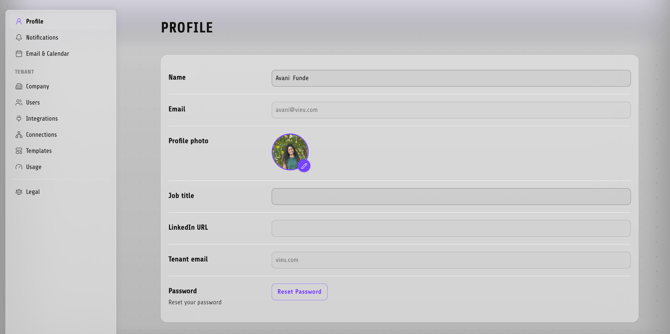
Personal Settings : Profile
Use Profile to manage your personal account information.
| Setting | Description |
|---|---|
| Name | Update the name displayed throughout Vieu. |
| View the email address associated with your account. | |
| Profile Photo | Upload or change your profile picture. |
| Job Title | Add or update your current role. |
| LinkedIn URL | Add your LinkedIn profile to improve relationship matching. |
| Tenant Email | View the email domain associated with your workspace. |
| Password | Reset your password. |
Notifications
Configure how Vieu notifies you about activity and updates.
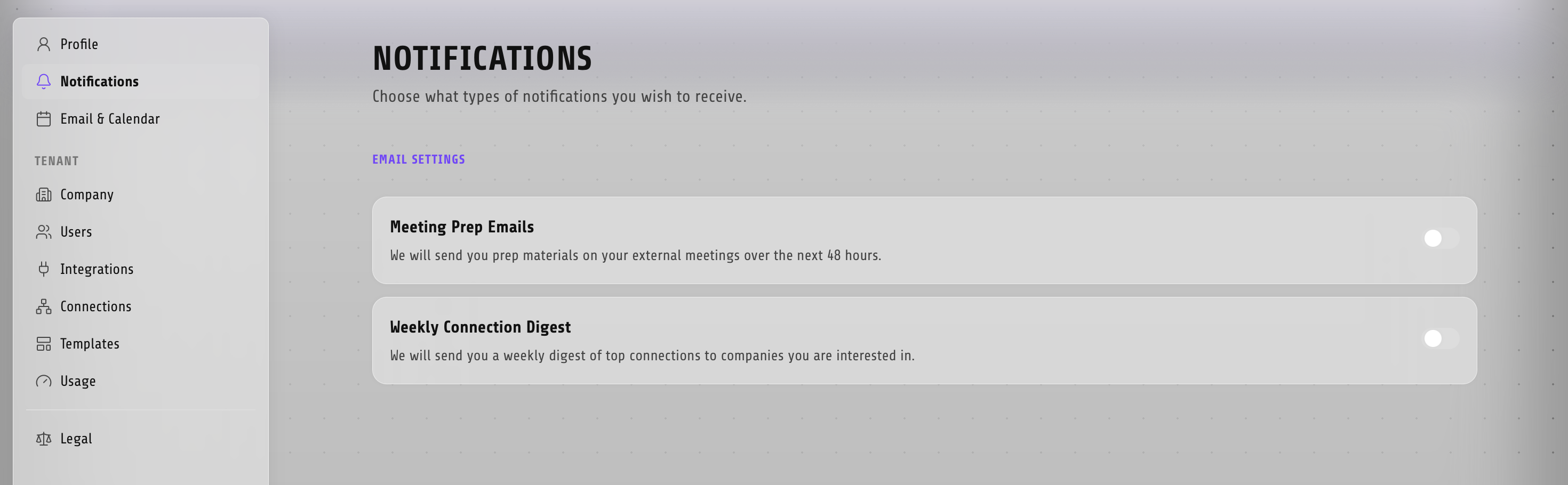
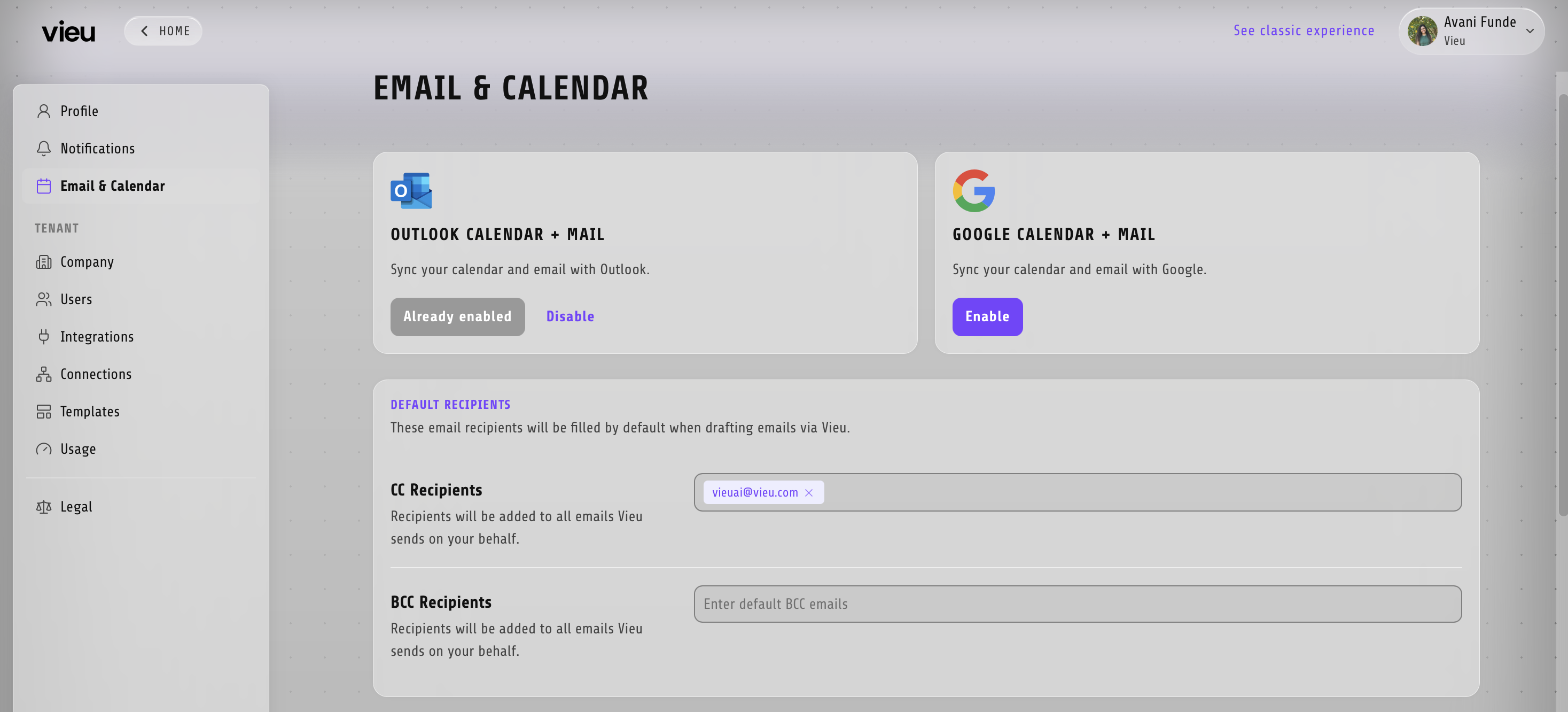
Email & Calendar
Connect and manage your email and calendar integrations for meeting intelligence and email workflows.
Workspace Settings
These sections are primarily intended for administrators.
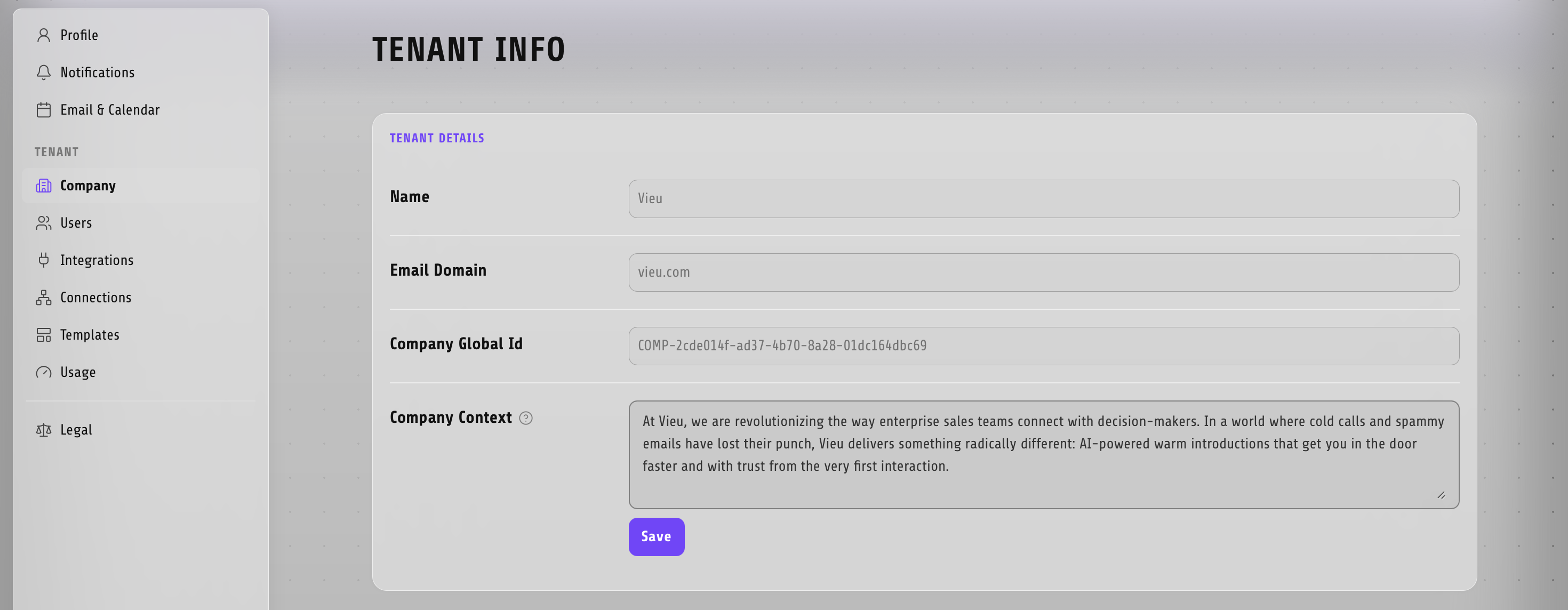
| Section | What you can manage |
|---|---|
| Company | Company information and workspace configuration. |
| Users | Invite users and manage workspace access. |
| Integrations | Configure CRM, email, calendar, and other integrations. |
| Connections | Manage relationship data and connector sources. |
| Templates | Create and manage reusable templates. |
| Usage | Monitor workspace usage and feature adoption. |
Legal
Access Vieu's legal documents, privacy policy, and compliance information
Need help?
For help setting up filters, customizing views, or improving search workflows, reach out to your CSM or contact Vieu Valet at valet@vieu.com.