
Vieu works best when your network is fully activated.
Complete the steps below to make sure your accounts are mapped correctly from day one. This setup takes a few minutes and directly impacts how many warm paths you’ll see inside your deals.
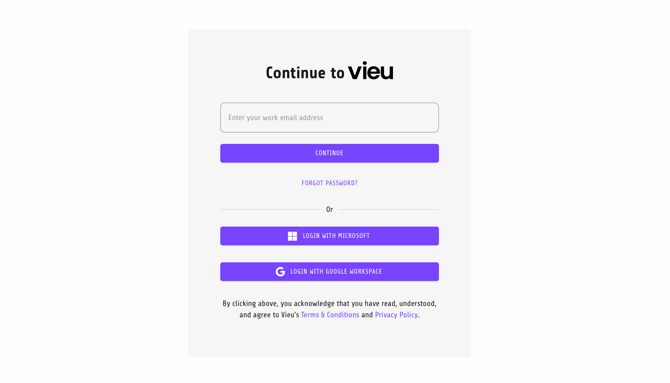
Step 1: Create Your Vieu Login
If you haven’t already:
-
Accept your invite to Vieu
-
Set your password
-
Log in to your dashboard
This gives you access to:
-
Your connections
-
Introduction requests
-
Target accounts
-
Executive touchpoints
Once logged in, you’re ready to activate your network.
Step 2: Connect Your Email and Calendar
Go to Settings → Integrations and connect your work email (Gmail or Outlook).
2. Click your account name in the top right corner
3. Under Your Account, select Settings
4. In the left menu, click Email & Calendar
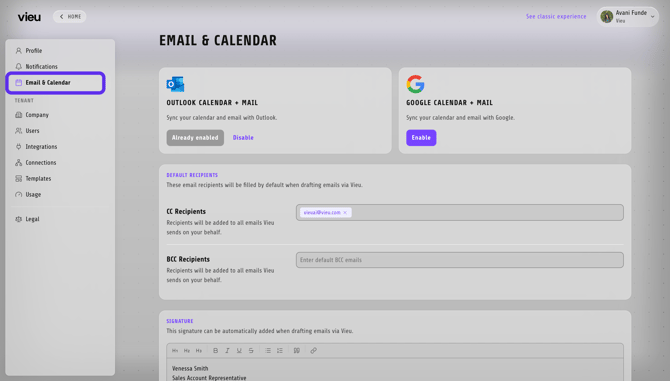
5. Click Enable under Outlook Calendar + Mail or Google Calendar + Mail, depending on your provider
6. Once connected, the button will show Already enabled
Why this matters:
-
Request introductions without switching tools
-
Keep introduction activity aligned with your workflow
-
Maintain visibility into outreach progress
Use your work email credentials only.
Step 3: Upload Your LinkedIn Connections (CSV)
This is the most important step.
Vieu turns your LinkedIn network into actionable warm paths into your target accounts.
How to do it:
Part A: Download Your LinkedIn Connections CSV
1: Go to LinkedIn Settings (Desktop Only)
Click your profile picture → Settings & Privacy → Data Privacy.
2: Request Your Connections Data
Under Download your data, 'Request archive'. LinkedIn will email you a download link.
Here are detailed steps on How to upload your LinkedIn CSV into Vieu
You can also follow LinkedIn’s official guide here.
Part B: Upload Your LinkedIn Connections
Once you have Connections.csv, choose one of the following:
1. Send it to the Vieu team (recommended) — email it to valet@vieu.com and we'll take care of the upload for you
2. Upload it yourself — log in to Vieu, click your account name in the top right, select Upload connector CSV, add your LinkedIn url to submit the file
Processing may take a few minutes depending on file size.
Once uploaded, Vieu maps:
-
Who you know
-
Where they work
-
Which target accounts they influence
-
Which executive touchpoints exist
Without this step, Vieu cannot surface your real network advantage.
Step 4: Explore Your Connections
Once your network is uploaded, head to the Connections tab to see your warm paths in action.
For a full walkthrough of the homepage, Connector Agent, Planner Agent, and how to move from connections to action, see: Getting Started with the New Vieu Experience
Need Help?
If you run into any issues during setup, reach out to: valet@vieu.com
We’ll help you get fully activated quickly.